Terminal terminal
Rationale
I decided to reflect on my terminal set-up since some have expressed an interest. Also, having recently returned to deving daily in Windows, so throwing down my thoughts now may also help jog the memory of a future me.
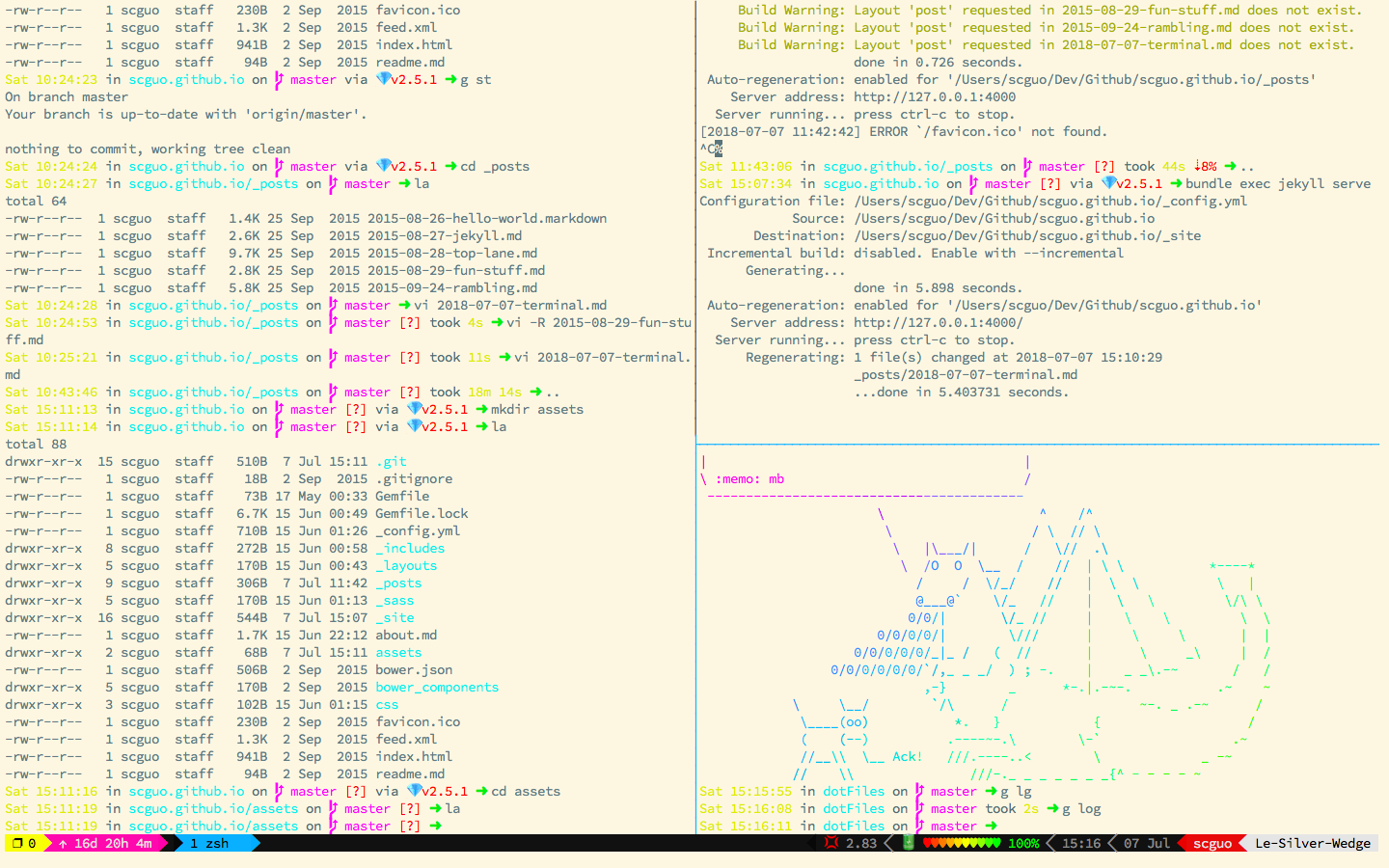
Here’s what my terminal looks like while editing this post:1
Shell
I am by no means any shell scripting expert but I still use the command line a lot and I’ve found that zsh works best for me. I find I rarely need to hop into bash and then exit back out again. Sure, I’ll occasionally use bash, but I definitely can’t recall the last time I’ve needed to use csh.2 There’s also fsh floating around; it seems popular so I’ll probably play with it in the near future.
ProTip: don’t randomly
sudostuff but you may likesu -
NubTip: if your prompt shows
#instead of$you’re “root” AKA you’re a superuser AKA in an elevated prompt so Tread Carefully If you see%you’re probably lost and usingcsh, lol
I also utilize Oh My ZSH! and touch up my prompt using spaceship.
As for being on Windows, I re-acclimatized to using cmd3 and PowerShell, since it’s the default integrated terminal for VSCode.
Git
I <3 and use git a lot. I personally prefer the CLI to most GUI’s (e.g. gitk, git gui, SourceTree, etc.). I’ve created a bunch of aliases that I believe cover standard use-cases and pretty much have feature parity for any git IDE integration, IMHO.
I’ll write a post detailing my git flow later, seeing as I’ve taught many people git command line first.
Emulators
IDK much about TTY, ANSI escape codes, and all that jazz but this is what’s worked for me. I’m also not inclined to deep-dive any further at the moment.
During the day, I currently use cmder as my emulator on Windows. It allows me to hop between bash, PowerShell, and cmd with ease. Sadly, IT policy has excluded me from joining the Windows Insider program and trying out Windows Subsystem for Linux.4 My old rig is still running Windows 7 and it really struggles to wake from hibernation these days; I fear it’s on its last legs ;-;
Multiplexers
A former colleague once demoed their setup and their use of tmux scripts for quickly booting into familiar workflows really stuck out to me. I immediately went and cloned tmux and built it from scratch.5 After resolving a bunch of missing GCC flags and linking errors I was able to finally able to run tmux. In hindsight, I may have wanted to explore GNU Screen before jumping right to its sucessor tmux.
I quickly found myself desiring a better aesthetic and searched for customization and styling options. I found Oh My Tmux! and went about customizing the look/feel to my taste.
I regularly have Tmux Cheat Sheet open since I’m still learning some of the more advanced parts. Ironically enough, I’ve learnt some emacs bindings partly due to their ease but mostly through separation of concerns when fat-fingering my meta keys.
Addendum
I actually try not to use a multiplexer if required because I’m too daft to actually learn all the clipboard buffer shortcuts I enjoy using the native terminals and their own windows. This helps me out so that I’m less tied to the special features and goodness something like iTerm2 provides.
To elaborate, I would rather throw and tile two/four windows using Windows window snap (winkey + arrow keys) or use Slate to do the same on macOS.6 I find not having to juggle three levels of clipboard buffers (i.e. vim’s, tmux’s, OS’s) slightly less cognitively taxing.
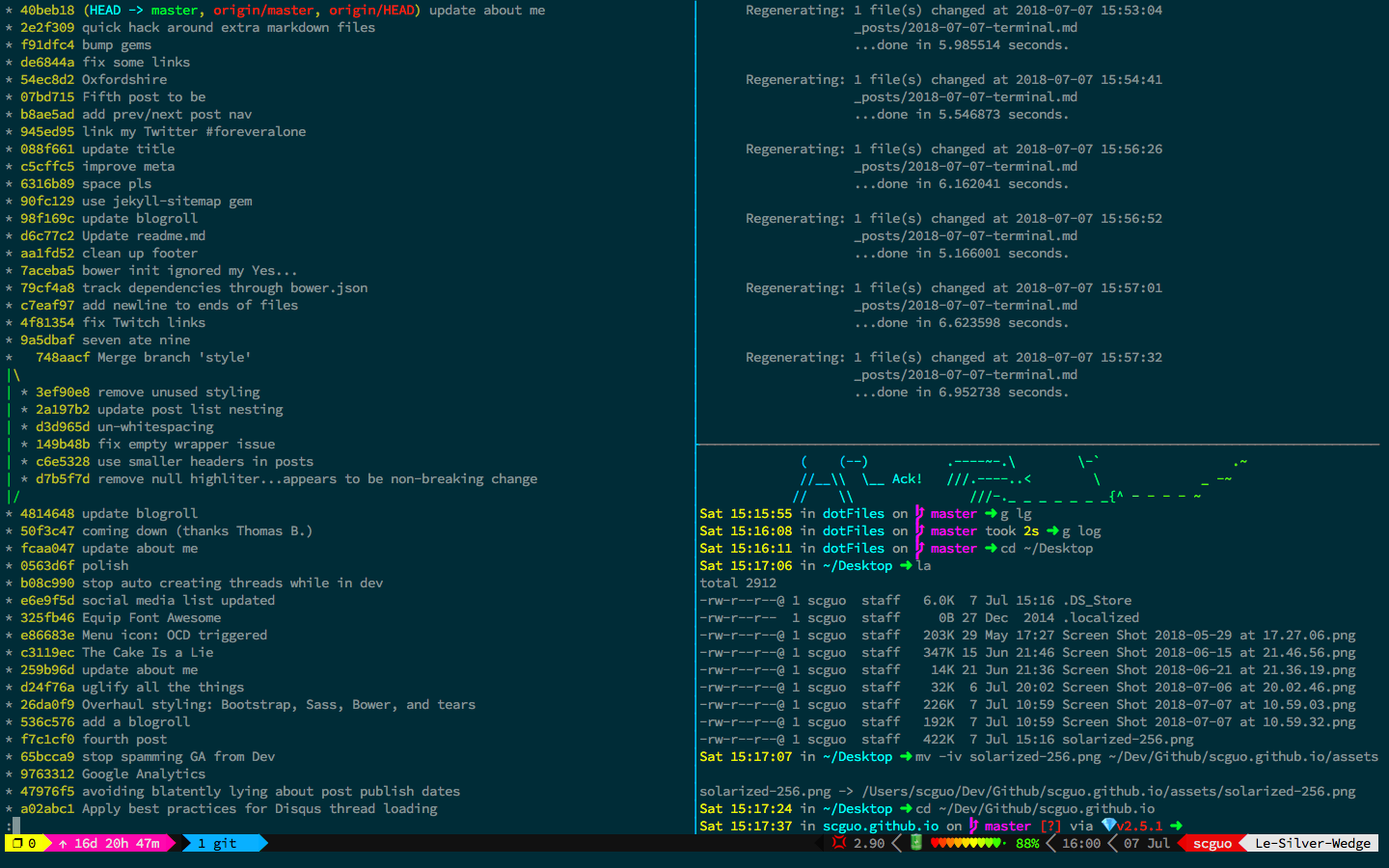
One last shot of my other terminal look:7
% echo enjoy!
Visual Studio Code
Is really damn fine; Microsoft has been doing great stuff for quite a while now.
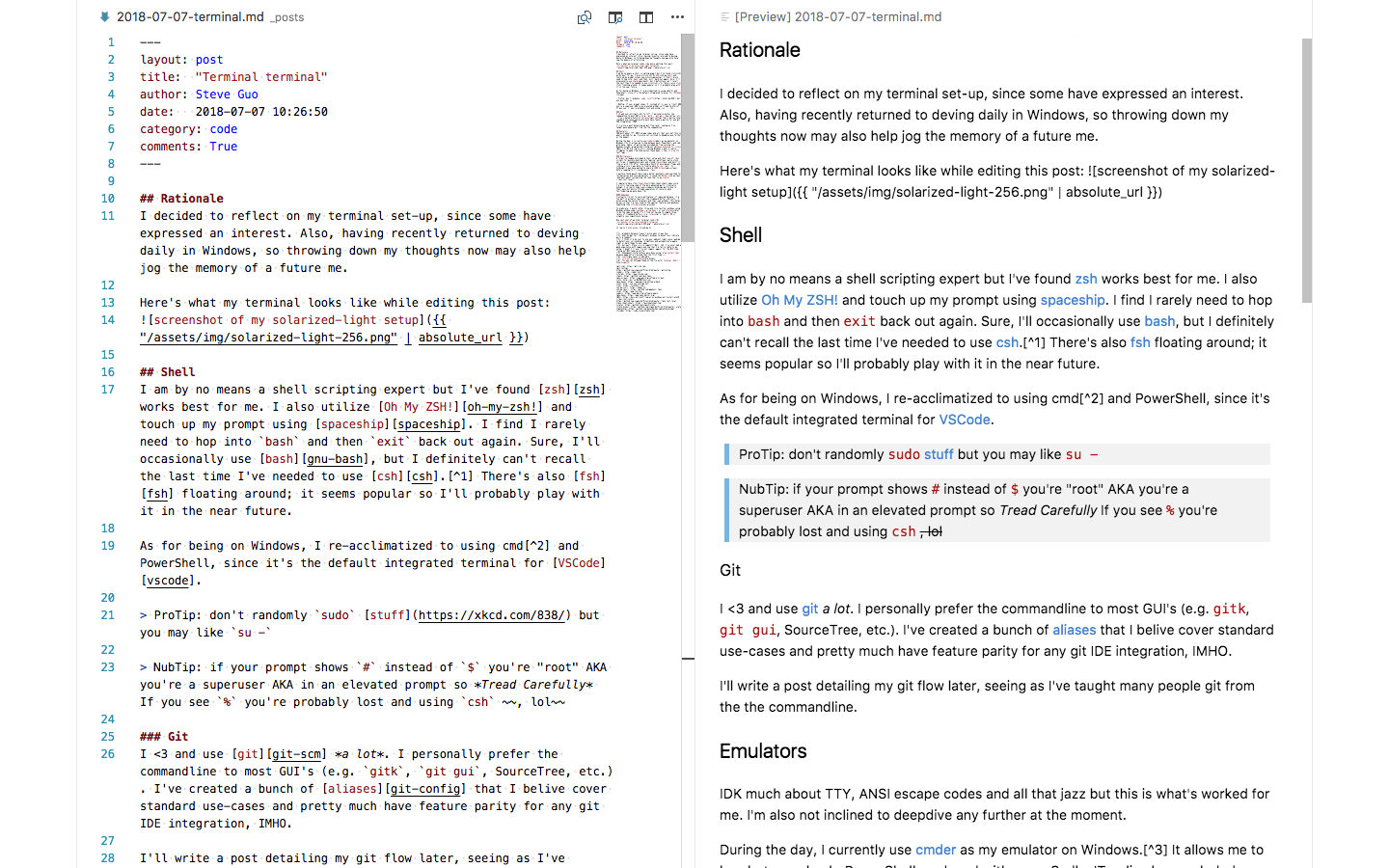
I did half of this markdown post in vim before giving into the live preview + zen mode (meta + k, z) of VSCode:
<!-- end -->
-
I think it’d be cool to use your ambient light sensor/webcam to detect your surroundings’ brightness and automatically apply light or dark theme to your apps ↩
-
probably because I wasn’t alive when it was hip ↩
-
what do ppl call the default windows terminal? pls ridicule me in a comment ↩
-
but wait! Steve, Y U NO Cygwin??? Well, tbh, I’ve never had a good experience with Cygwin and now that I’m fairly comfy in my setup, I doubt I’ll ever try out Cygwin -again- for the Nth time. Trying out WSL takes priority! ↩
-
Subsequent installations were done using
brew install tmuxbecause I somehow overlooked that the first time >_< ↩ -
TIL you can hot-swap theme on the fly with
Terminal->Shell-> Show Inspector↩